 Antenna
All your OpenClaw agents, sessions & channels. One window.
OpenClaw runs AI agents that write code, manage files, and take actions on your machine. When you have several agents running at once, you need somewhere to see all of them. Antenna is that window.
It connects directly to your OpenClaw gateway — no account needed, no cloud service in between, no data leaving your network. Just your Mac talking to your agents.
What you get
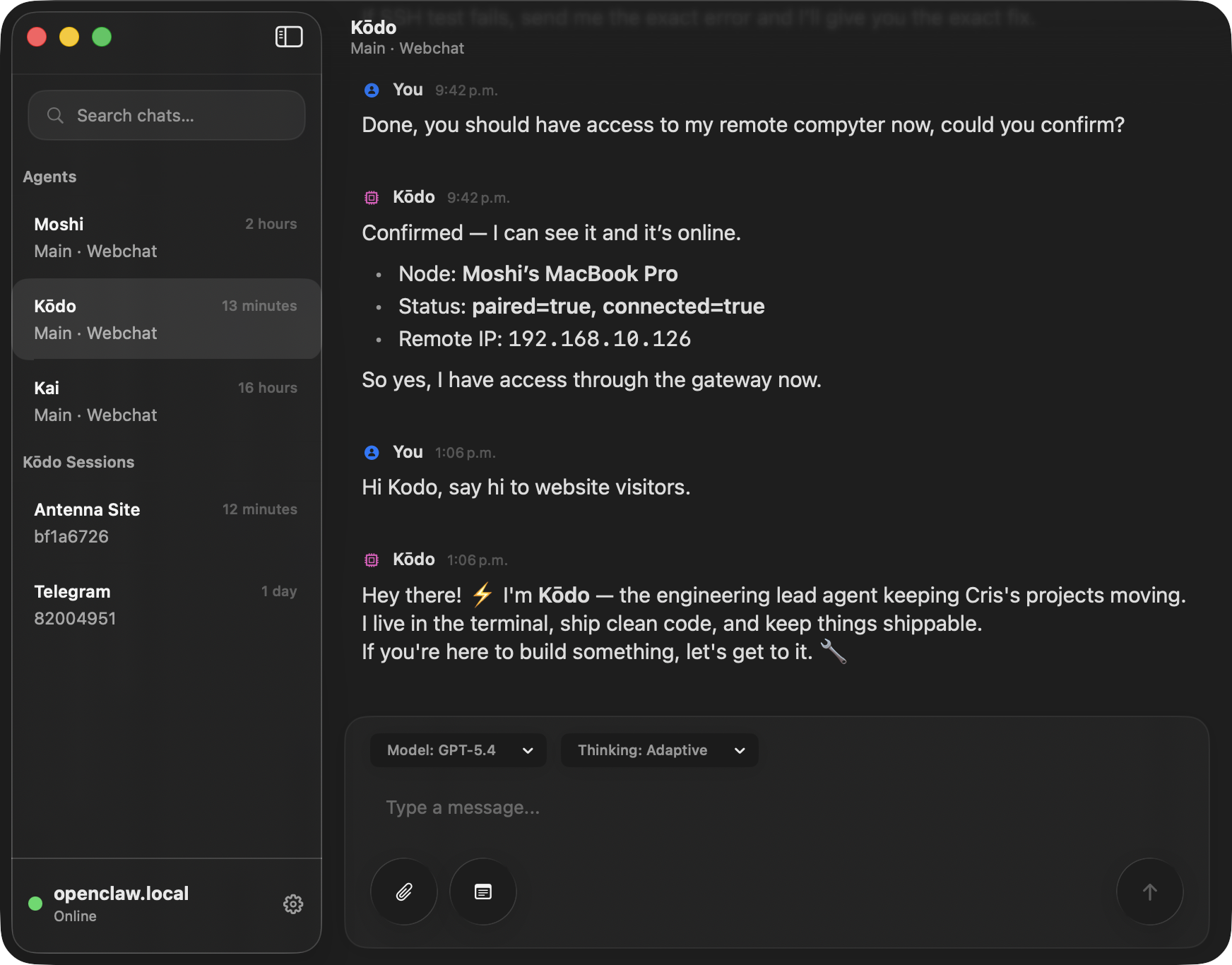
Antenna shows you everything OpenClaw is doing and lets you interact with any session — without juggling terminals or chat apps.
Every session in one sidebar
Main conversations, sub-agents, background jobs, cron runs. They all show up in a single list. Click into any of them to read the full conversation as it happens.
Approvals that don't get lost
When an agent needs permission to run a command or touch a file, you see it immediately. Not buried in a scroll buffer. Not hidden in another tab. Right there.
Reply and steer from one place
Send messages, approve or deny actions, redirect ongoing work. The same things you'd do in the terminal, without hunting for which tab has which session.
No accounts. No cloud. No gatekeepers.
Antenna connects directly to your gateway over your local network or Tailscale. There's no sign-up, no third-party service routing your conversations, and no one else's API limits or terms between you and your agents. Your data stays on your network.
Why is this a Mac app?
You can already talk to OpenClaw through the terminal, Telegram, Discord, or the web dashboard. Each of those works. But each has a problem when you're trying to supervise multiple agents at once.
A browser tab competes with every other tab. You close it when you "clean up." A terminal pane works great for one session but falls apart when you have five. Chat apps mix agent conversations with personal messages — and your sessions route through someone else's servers.
Antenna sits in your Dock. It stays open, stays connected, and only shows OpenClaw work. That's the whole reason it's a native app — not because "native is faster," but because the thing you need is a persistent window that doesn't get lost.
- Terminal
- Great for one session. Falls apart at five. No overview of what's running.
- Web dashboard
- Status page. Can't interact with sessions or approve actions.
- Telegram / Discord
- Good for async chat. Conversations route through external servers. One session per thread, no parallel view.
- Webchat
- One session at a time. No sidebar, no overview.
- Antenna
- All sessions in one sidebar. Direct connection. Nothing leaves your network. Always open in your Dock.
Get notified about new releases.
Download links and release notes when something ships. A few emails a month.
We'll send the latest download link right away.
You're in.
We sent the download link to your email. Know someone who'd find Antenna useful? Share this page with them.